How to Sign Up for NetMirror to Create an Account?
Well, the NetMirror app does not mandate account registration, but signing up unlocks many benefits, and those who use the web portal of NetMirror are required to sign up on this platform to access the content library. The registration process is quite the same on the NetMirror official app and web portal, so this guide explains the easy way to create an account on NetMirror and what perks you get after being a registered user.
Why You Need a NetMirror Account
If you’re using the NetMirror app, you can stream full movies in HD quality, ad-free, without having to log in, but you will have access to only limited features as a guest user. Many advanced functionalities would be missing in the app, which you can unlock once you sign up. For web portal users, registration is a required thing, as you can’t access any services of this platform without signing up.
For streaming videos in 1080p or higher resolution, you must be logged in to this app, as non-registered users can only stream in 720p quality on the official app. Once you sign up, you will have a setting option from where you can enable 1080p mode, which will unlock higher resolution for streaming. The offline downloading feature is also only available for registered account holders.
Things You Need Before Signing Up
These are some of the basic requirements that you need to sign up for NetMirror.
How to Sign Up For NetMirror – Step-by-Step Guide
Creating a fresh account on NetMirror is a breeze; the easy steps are outlined below, so follow them closely.
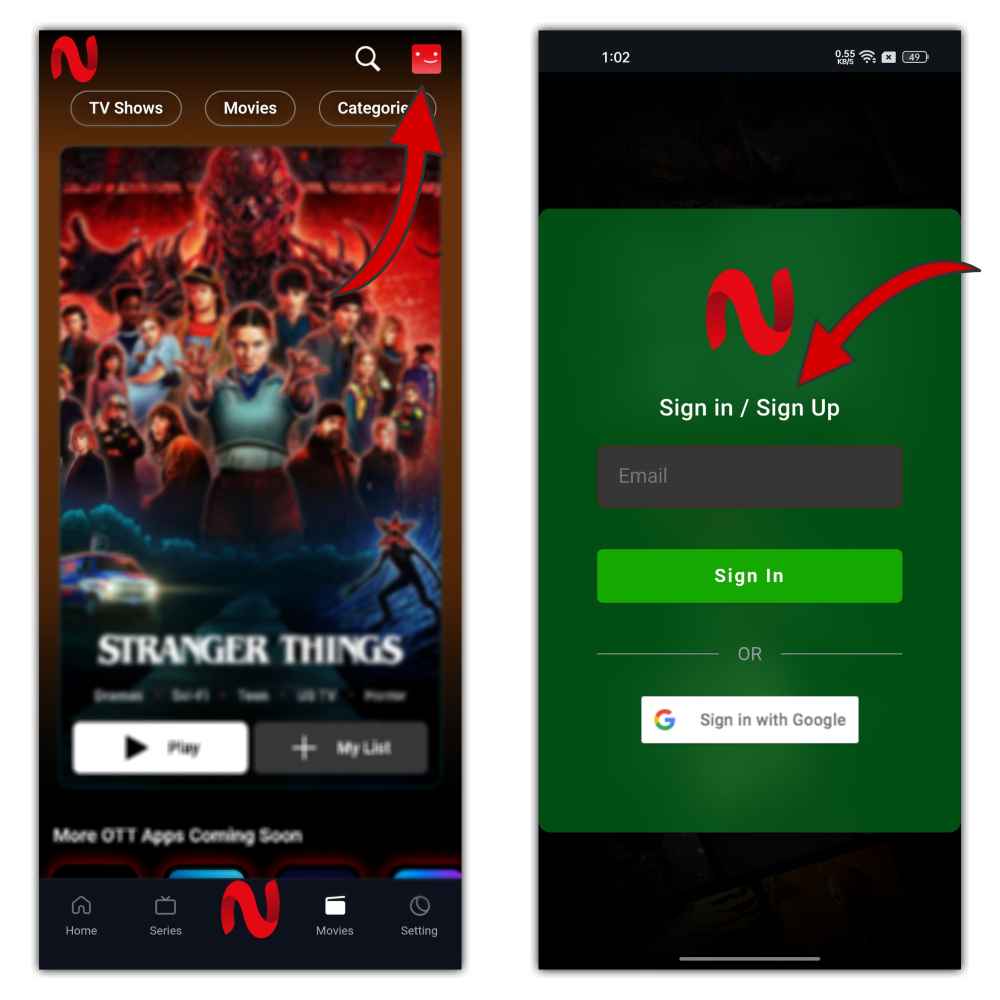
Step 1: Launch the NetMirror App or the web portal of NetMirror – NET20.ORG, then click on the profile icon in the top right corner.
Step 2: Now the Signup page will be opened, so click on Sign in with Google or Enter your email address.
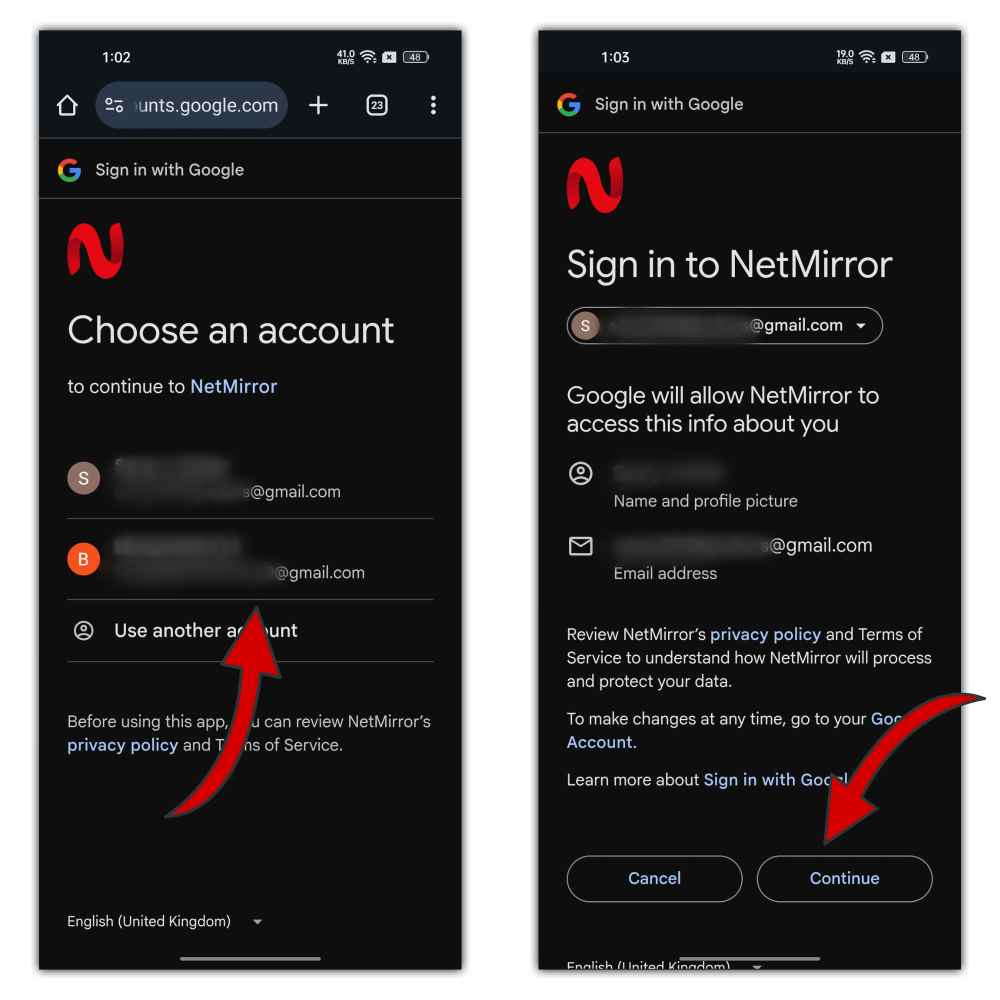
Step 3: If you select Sign in with Google, choose your account and click on the Continue button to register your account on the NetMirror app. But If you go with the email address, it will ask you to enter a username and a password to register an account.
Step 4: Once registered, your account will be automatically logged in to this app. The session expires if you don’t use the NetMirror account for more than 15 days, and then you have to log in again with your email and password.
FAQs
Final Verdict
No complexity and no need to share sensitive information such as name, age, or birth date; all you need is an email address or a Gmail account to sign up and create a new account on NetMirror. The process is just as easy as it seems in the step-by-step guide mentioned above. It will take hardly a minute to sign up for the NetMirror app, and once you do, you will be able to access the full version of the app with all its exclusive features, including 1080p quality streaming and offline downloading.
Registered users can easily manage their profile on NetMirror by tapping on the profile icon in the top right corner and clicking on My Account to see their profile details. There is a log-out button that will turn you into a guest user again. Now, you know everything about signing up on NetMirror, but if you still have any queries, ask in the comments below!